
Go live with confidence
Run a testing matrix and checklist before you publish your Loopwix AI agent, and know what to watch in the first week after customers start chatting.
Goal: launch your agent without surprises, and catch problems in the first week before customers do.
This guide is for anyone about to put an agent in front of real customers. You need the Builder role or higher to publish. Allow two hours for testing before launch.
What should I test before my AI agent goes live?
Run the go-live and security checklists. Then test a normal question, a missing-knowledge question, a rude message, a request for a person and a risky action. Do this in Test chat and again live, in your main languages and on each channel. Launch on a few pages first, and watch the first week closely.
Before you start
- A built agent with knowledge attached. See the quickstart.
- 20 to 30 real customer questions, from your inbox, phone notes or old chats.
- A second person to test, who did not build the agent.
Step 1: run the checklists
Work through the Go-live checklist. It covers the agent's identity, knowledge, hand-over, sensitive data and the website chat. If your agent shows customer data or takes actions, also run the security checklist.
Step 2: run the test matrix
Run every row in Test chat. Save your draft first, because Test chat uses the last saved draft. Then repeat the most important rows on the live chat.
| Case | Example | Expect |
|---|---|---|
| Top questions | Your 20 most common questions | Correct answers with sources |
| Rephrased question | The same question in other words | The same answer |
| Missing knowledge | Something you never wrote about | An honest "I don't know", not a guess |
| Rude or abusive message | An angry complaint with insults | A calm reply, with no loop |
| Request for a person | "Let me talk to someone" | Your hand-over message, or how to contact you |
| Private data as a guest | "Where is my order?" without verifying | A request to verify, and no details |
| Private data after verifying | The same, after the email code | The customer's own details only |
| Risky action | "Cancel my order" | A confirm step before anything changes |
| Another language | A top question in your second language | An answer in that language |
| Off-topic | "Write me a poem" | A polite answer that steers back to your business |
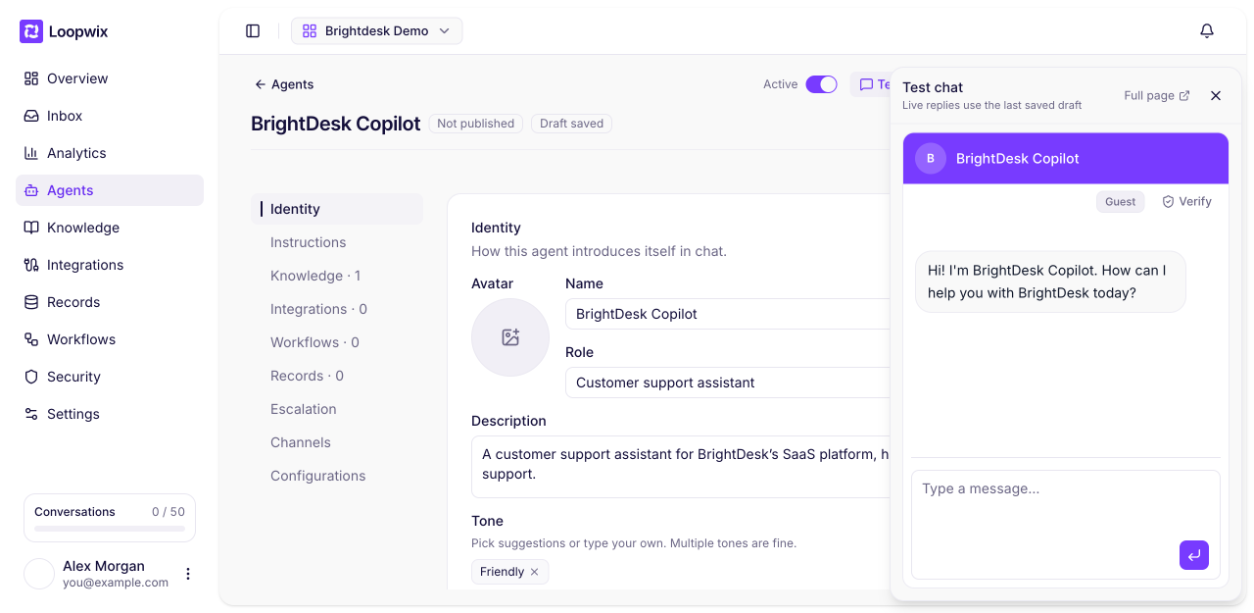
Test as a guest and as a verified customer. See Test your agent.
Step 3: check every channel
Repeat five rows on each channel you will launch: a top question, missing knowledge, a person, a guest data request and a risky action. Messaging channels show buttons and messages differently from the website chat. See Channels.
Step 4: confirm hand-over reaches a person
If hand-over is switched on for your workspace, ask for a person and check that the ticket arrives in the Inbox. Check that the email or Slack alert arrives too; see Notifications. Hand-over is switched on by Loopwix on request. Without it, make sure the agent tells customers how to reach you.
Step 5: publish and note the version
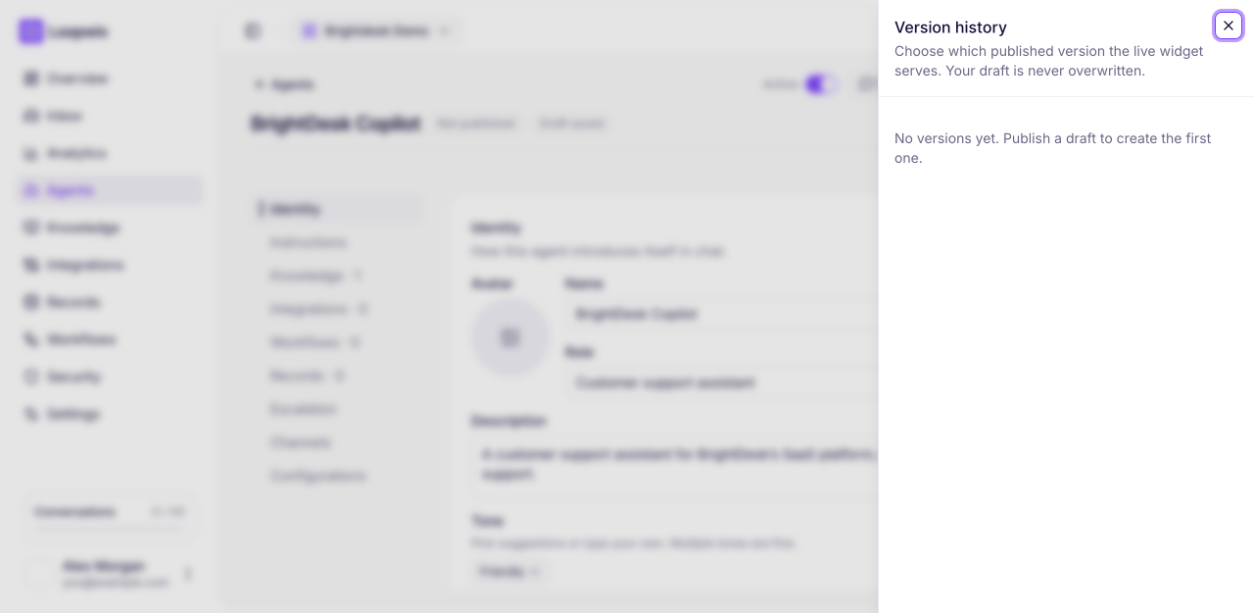
Publish the agent and write a short version note, such as "Launch: 40 FAQs, order look-up". Each publish saves a numbered version. If something goes wrong, you can roll back to an earlier one in seconds. See Version history and rollback.
Should I launch everywhere at once?
No. Install the chat on a few pages first, such as your help or contact page. Watch it for a few days, then add it to the rest of your site. Use Allowed sites and the chat's targeting to control where it appears.
What to watch in week one
Spend ten minutes a day on these:
- Inbox: read a sample of conversations, not only the hand-overs.
- Unanswered questions in AI insights. Add an FAQ for any question that comes up twice.
- Ratings, if customer ratings are on. Read every low score.
- Usage in Usage and budgets, so a busy day does not surprise you.
If an answer is wrong, fix the knowledge, test, and publish again. For anything serious, pause the agent or roll back.
Test script
| Case | Expect |
|---|---|
| Normal question | Correct, sourced answer |
| Unknown question | "I don't know" and a way to reach you |
| Abuse | Calm, no escalation loop |
| Person requested | Hand-over message and ticket, or contact details |
| Risky action | Verification and confirmation first |
| Rollback | The earlier version answers again after you roll back |
How many questions should I test?
At least ten for a simple agent, and 20 to 30 real questions for a launch. Include questions you know the agent should not answer.
What if something goes wrong after launch?
Roll back to the previous version in version history, or pause the agent. Fix the problem in the draft, test it, then publish again.
Does testing count against my usage?
Test chat uses AI like a real conversation, and shows as Test in Usage and budgets.
Next steps
- Go-live checklist for the full list.
- Security checklist before you show customer data.
- Improve your agent weekly after the first week.
Used for: Security at Loopwix
Multilingual support agent
Serve customers in several languages from one Loopwix AI agent: set your languages and tone, add knowledge per language, and test each one.
Improve your agent weekly
A 30-minute weekly routine for your Loopwix AI agent: read the insights, fix three knowledge gaps, review low ratings and publish the improvements.