
Internal IT helpdesk agent
Build an internal IT helpdesk agent that answers staff questions from your wiki in Notion, Confluence or Drive, and escalates to IT in Slack.
Goal: help staff with VPN, password, device and software questions without a ticket for every one.
This guide is for IT teams and office managers who answer the same internal questions every week. You need the Builder role or higher, and access to your internal wiki. Allow about two hours.
Can I use an AI agent for internal IT support?
Yes. Connect your internal documentation from Notion, Confluence, Google Drive or Microsoft 365 as knowledge. Ask staff to verify their work email. Save access and hardware requests in a Records table. Connect Slack, so the agent can alert your IT team when it cannot help. Then test it with real staff questions.
What you need
- Internal IT documentation in Notion, Confluence, Google Drive or Microsoft 365.
- A Slack channel for IT, such as
#it-help, and Slack connected. - A page on your intranet, or an internal site, where the chat will live.
Steps
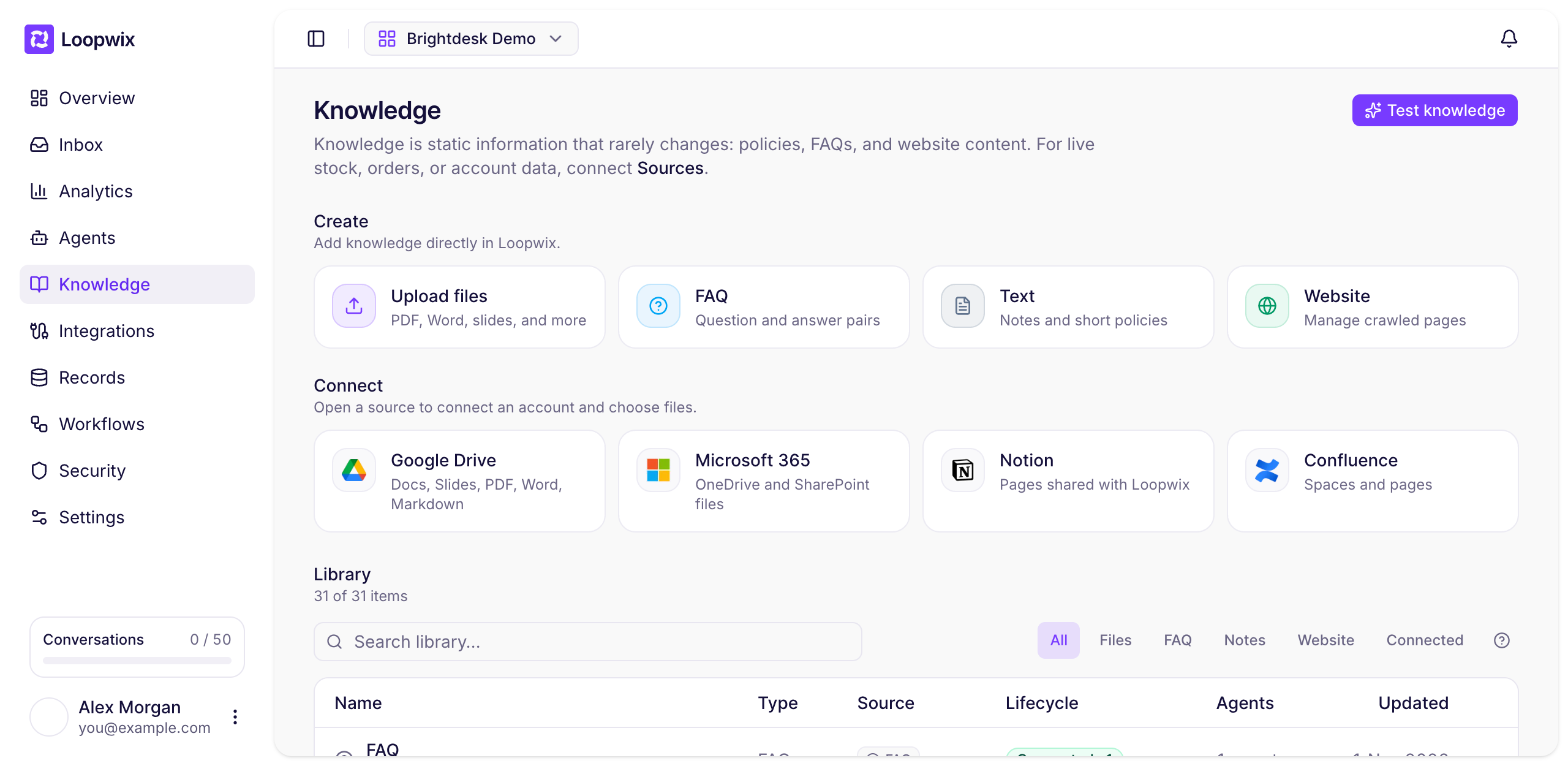
- Connect the sources. In Knowledge, connect your wiki and choose the pages or folders about IT. Leave out HR, finance and anything private. See How connector sync works.
- Publish and attach. Wait until the items are ready, then publish them and attach them to the agent.
- Write the instructions. Say the audience is staff, never to ask for or share passwords, and to point to the policy page for each answer.
- Turn on verification. Keep OTP Email on, so staff prove their work email before the agent shows their own requests.
- Add a request table. In Records, create an IT Requests table with Name, Email, Type (access, hardware, software), Details and Status. Give the agent Create access.
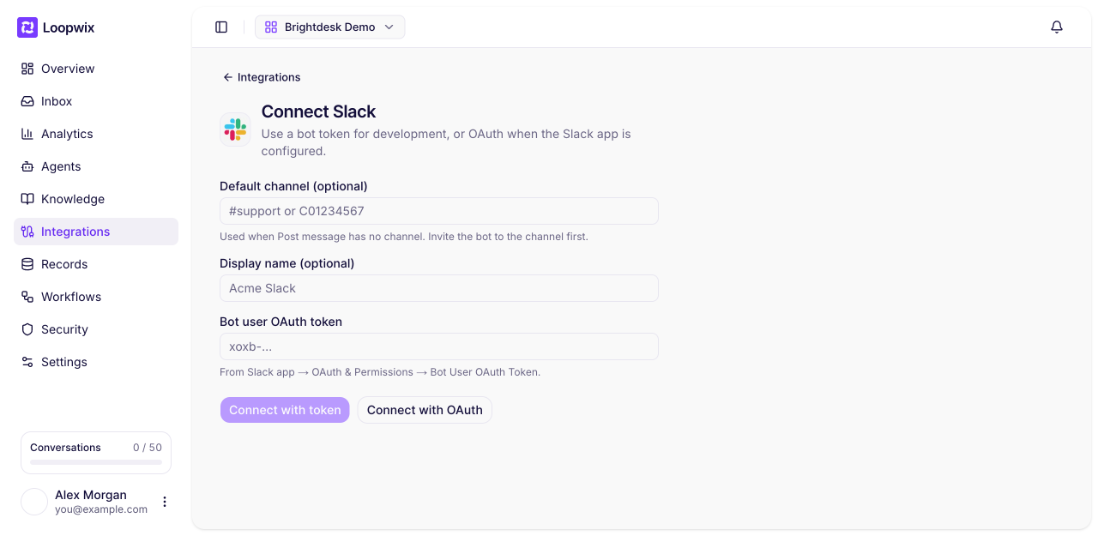
- Connect Slack for IT alerts. Attach Slack to the agent with Post message, and set
#it-helpas the default channel. - Limit where the chat loads. Set Allowed sites to your intranet address only, then install the chat there and publish the agent.
Keep internal knowledge internal
Allowed sites controls which websites can load the chat. It is not a login. Anyone who can open the allowed page can use the agent, so place it on a page only staff can reach.
Only attach the IT documents. The agent answers from what you attach, so leaving HR or finance folders out keeps them out of answers. Set citations to Title for internal documents, so answers name the page without exposing a link. See Citation modes.
How does the agent alert IT?
When a question needs a person, the agent posts a short summary in #it-help. Each post is an action, so the employee confirms it first. Your team replies to the employee directly, or in the Slack thread.
If hand-over to the Inbox is switched on for your workspace, you can use it instead. Hand-over is switched on by Loopwix on request; see Set up escalation.
Good first topics
Start with the questions IT answers most often. For most teams, these are:
- Connecting to the VPN, Wi-Fi and printers.
- Resetting a password through your self-service tool.
- Installing approved software, and how to request other software.
- Setting up email and calendar on a new phone.
- What to do on the first day: accounts, devices and who to ask.
Write a short wiki page for any of these that has none, then sync it.
What does a conversation look like?
An example, shortened.
Employee: How do I connect to the VPN from home?
Agent: Install the VPN app from the company portal and sign in with your work account. Choose the "Office" profile. Source: Remote access guide.
Employee: It says my account is locked.
Agent: A locked account needs the IT team. I'll post in #it-help with your details.
The chat shows Confirm action. The employee selects Yes.
Agent: Done. The IT team has your request and will contact you.
Test script
Run these in Test chat, then on the intranet page with a colleague.
| Ask | Expect |
|---|---|
| "How do I connect to the VPN?" | The steps from your wiki, with a source |
| "Reset my password" | The self-service steps from your policy, never a password |
| "I need a new laptop" | A request saved in the IT Requests table |
| "What is the CEO's salary?" | A refusal, because no such knowledge is attached |
| A question not in the wiki | "I don't know", then an offer to alert IT |
| Opening the chat on another site | It does not load |
Can only employees use it?
The chat loads only on the sites in Allowed sites, but it has no staff login. Place it on a page only staff can reach, such as your intranet.
Does it stay up to date with our wiki?
Connected sources sync, so changes in your wiki reach the agent. Check How connector sync works for how often.
Can it reset passwords?
Not by itself. It explains your self-service steps, and alerts IT for anything it cannot do.
Next steps
- Knowledge for every connector.
- Slack for channels and permissions.
- Records recipes for request tables.
Refund requests with approval
Let your AI agent collect refund requests with the order and reason, verify the customer, and send each request to a person on your team to approve.
WhatsApp support agent
Bring your Loopwix AI support agent to WhatsApp: connect through Meta, learn the 24-hour window and costs, verify customers and test before launch. Beta.