
AI insights and topics
Read AI insights in Loopwix Analytics: conversation topics, sentiment, why the agent handed over, unanswered questions, and your list of topics.
Open Analytics → AI insights.
What are customers asking my AI agent about?
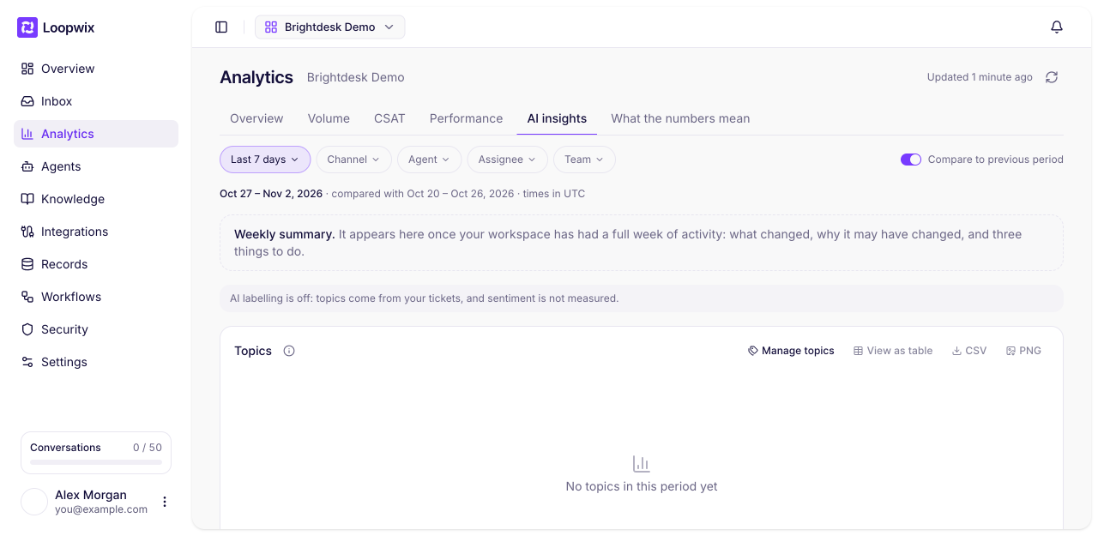
Open Analytics, then AI insights. Topics show what customers talk about, with each finished conversation filed under one topic. You also see sentiment, why the agent handed over and which questions it could not answer. After a full week of activity, a weekly summary suggests three things to do.
What is there
| Card | Meaning |
|---|---|
| Weekly summary | What changed, why it may have changed and three things to do, after a full week of activity |
| Topics | What customers talk about; each finished conversation is filed under one topic |
| Unanswered | The share of conversations where the agent could not answer from your knowledge |
| How customers felt | Positive, neutral or negative |
| Why the Agent handed over | The reasons tickets were opened |
| Questions your Agent could not answer | Unanswered questions grouped by meaning |
Each chart has View as table, CSV and PNG.
Manage topics
Owners and builders see Manage topics.
- Suggested topics: the AI proposes new topics; Review to approve or dismiss.
- Your topics: add one ("for example Refunds"), rename it or merge two. Merging and renaming keep history.
Use clear, stable topic names; they also appear as a breakdown on the CSAT tab.
Metric definitions
What every Loopwix Analytics number means: conversations, auto-resolution, escalated tickets, satisfaction, response times and bookings created.
Act on insights
Turn unanswered questions, low satisfaction and handover reasons from Loopwix Analytics into better knowledge, instructions and workflows each week.