
Records
Records is the built-in Loopwix database for bookings, tickets, contacts and more, which your AI agent and workflows can read and update in chat.
Records is Loopwix's built-in database. Use it for anything you want to keep and act on. Examples are a booked call, a support ticket, a refund request or a list of contacts. Knowledge answers questions; records remember things.
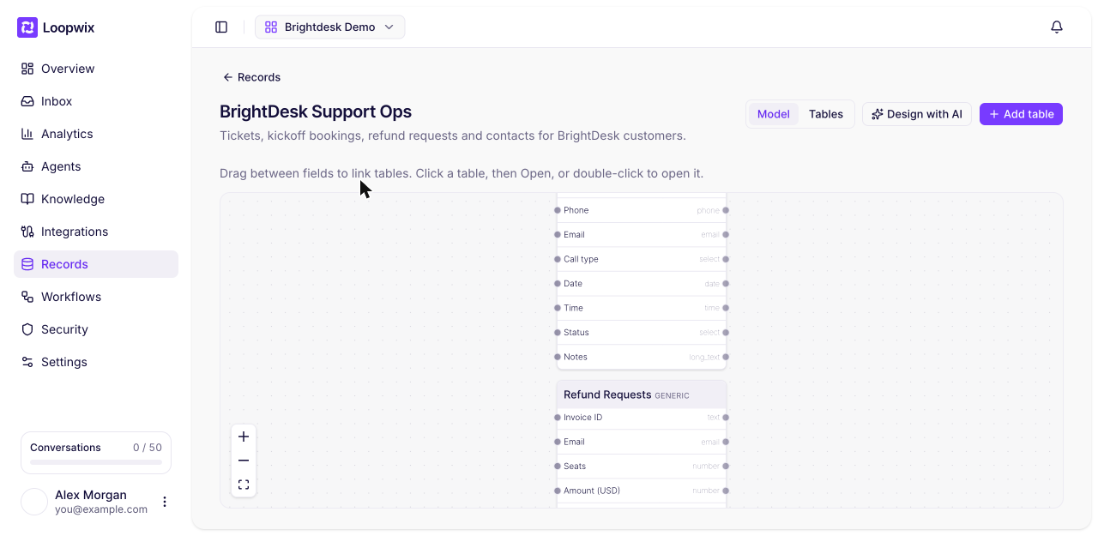
Open Records in the sidebar: "Separate data models for each part of your business. Open a base to design tables and relations."
Records, knowledge or an integration?
| You need… | Use |
|---|---|
| Answers that are the same for everyone | Knowledge |
| Data that lives in another system (Shopify orders, Stripe invoices) | An integration |
| Data that Loopwix stores and your team and agents work on (bookings, tickets, leads, requests) | Records |
The building blocks
| Concept | What it is |
|---|---|
| Base | A collection of tables for one part of your business, for example "Support operations" |
| Table | One kind of thing: Support Tickets, Bookings, Refund Requests, Contacts. Each table has a role (Ticket, Booking, Contact, Lead or Generic) that tells Loopwix what it is for |
| Field | A column: text, number, email, date, choice and so on. See Fields and relations |
| Row (record) | One entry, such as one ticket |
| View | How you look at rows: a table, a board or a calendar, plus saved views |
| Status pipeline | Turns a choice field into a work queue. See Status pipelines |
What uses records
- Agents can read, create and update rows if you attach the table and allow it. See Records for agents and workflows.
- Workflows have steps that find, create and update rows.
- Escalations become tickets in the designated table, the ticket sink.
- Your team works the rows in the Records pages.
Safety first
Records often hold customer data, so every table has hard controls. They set what the AI may do (all off until you turn them on) and who may see rows from chat (Staff only by default). They also set the identity level a customer needs. Read Table settings and access before attaching a table.
Pages in this section
- Create bases and tables
- Fields and relations
- Work with records
- Status pipelines
- Table settings and access
- Ticket sink
- Records for agents and workflows
- Recipes
- Troubleshooting, limits and permissions
Who can do this
Everyone in the workspace can view records. Support and above can edit rows. Builders and above change structure and settings. See Roles and permissions.
Integrations troubleshooting
Fixes for failed connection tests, capabilities that will not approve, agents that do not use an integration, and empty or wrong results.
Create bases and tables
Create a Records base, add tables from a starter pack, a blank table or the AI designer, and delete tables safely when you no longer need them.