
Restaurant reservations agent
Set up an AI agent for a restaurant that answers menu, allergen and opening-hour questions and takes table reservation requests for your staff to confirm.
Goal: answer the questions that ring the phone during service, and take table requests at any hour.
This recipe is for restaurants, cafes, bars and bistros. It builds on Build an AI booking agent, using Records mode, because most restaurants confirm tables by hand. You need the Builder role or higher. Allow about an hour.
How do I take restaurant reservations with an AI agent?
Add your menu, dietary options, opening hours and location as knowledge. Create a Bookings table with the party size, date and time, and build the booking workflow. Requests arrive as Pending, and your staff confirm each table. Add clear allergen rules to the instructions, test, and publish.
What guests ask a restaurant
| Guests ask | Add this to knowledge |
|---|---|
| "Do you have vegan options?" | Your menu, with dietary labels |
| "Are you open on Monday?" | Opening hours, kitchen times and holidays |
| "Can I bring my dog?" | House rules: dogs, children, dress code |
| "Do you have parking?" | Address, parking and public transport |
| "Can we book for 12 people?" | Your group size limit and group menu |
| "Do you do gift vouchers?" | How to buy them |
Add the menu as a text note or a page from your website. A menu that is only an image or a PDF scan cannot be read well, so type the dishes out.
Allergen rules
Allergen mistakes can hurt people. Add rules like these to the agent's instructions:
- "Share the dietary labels from the menu, but never promise a dish is free of an allergen."
- "For any allergy, say: please tell your server when you order, so the kitchen can advise."
- "Never guess an ingredient that is not in the menu."
Steps
- Add the knowledge from the table above, then publish it and attach it to the agent.
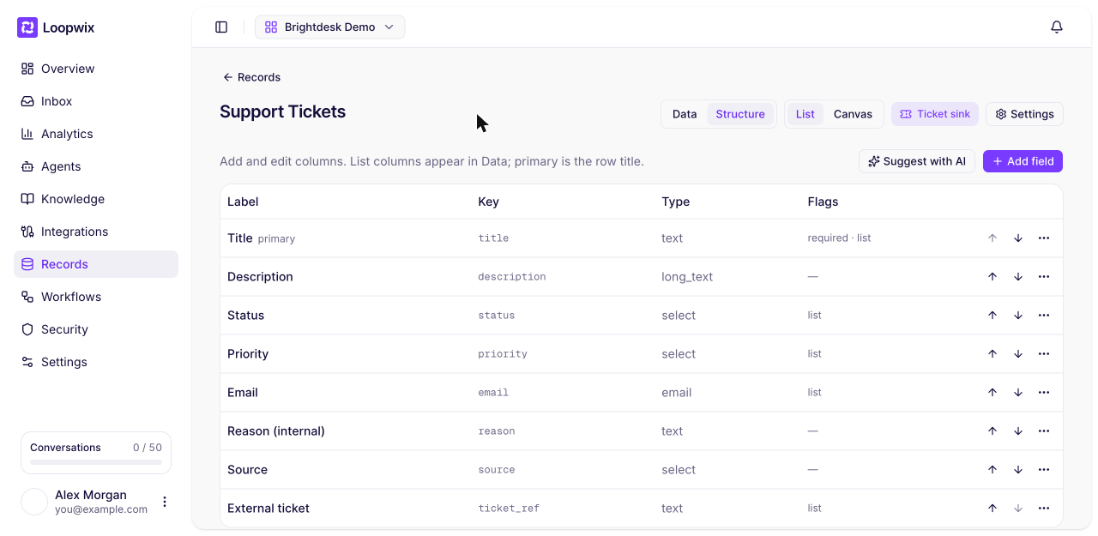
- Create the Bookings table from Bookings / appointments. Keep Customer name, Phone, Email, Party size, Date, Time and Notes. See Records recipes.
- Set table access. Turn on AI Create. Turn Read off if it is on. Keep visitor access Staff only.
- Build the workflow from the Book an appointment recipe in Workflow recipes. Collect the name, phone, party size, date, time and any notes, such as a birthday.
- Add booking rules to the instructions. For example: "Groups over 8 must call us" and "Last table is at 21:30".
- Test and publish. Publish the agent and install the chat on your website.
What does a reservation conversation look like?
An example, shortened.
Guest: Hi, do you have a table for 4 on Friday at 8pm?
Agent: I can take a request for Friday at 20:00 for 4 people. The team confirms every table. What name and phone number should I use?
Guest: Kim, 0612 987 654. One of us is vegetarian.
Agent: No problem. We have several vegetarian dishes, marked with a V on the menu. I've recorded your request for 4 on Friday at 20:00, with a note about the vegetarian guest. We'll confirm by text or call.
Make sure your staff can see new requests. Check the Bookings table at set times, such as before each service, and confirm or suggest another time.
Busy nights and closed days
- Fully booked: tell the agent in its instructions what to offer, such as another time, the bar, or a waiting list. It cannot see your tables, so it never says a table is free.
- Closed days and holidays: keep your holiday hours in knowledge up to date. The agent answers from what you publish.
- Walk-ins: if you keep tables for walk-ins, say so in your knowledge, so guests know they can try without booking.
- Late requests: a request for tonight may come in after your staff last checked. Add a rule such as "For same-day tables after 17:00, please call us".
Test script
| Ask | Expect |
|---|---|
| "Do you have gluten-free pasta?" | The menu label, and the "tell your server" rule |
| "Is the curry nut-free?" | No promise; the allergen rule |
| "A table for 2 tonight at 19:00" | Questions for name and phone, then a Pending row |
| "A table for 14 on Saturday" | Your group rule, such as "please call us" |
| "Can I book at 23:00?" | Your last table time |
| "Are you open on Christmas Day?" | Your holiday hours |
Does the agent know which tables are free?
No. Loopwix has no connection to restaurant booking systems or floor plans. Requests arrive as Pending, and your staff confirm them.
Can guests change or cancel a reservation?
Tell the agent how guests should do it, such as by phone. Turn on AI Update for the table only if you want the agent to change requests.
Does it work on Instagram and WhatsApp?
Yes. The same agent answers on Instagram and Messenger and WhatsApp, which are in beta.
Next steps
- Build an AI booking agent for both booking modes.
- Records recipes for the Bookings table.
- Salon booking agent and clinic appointment agent for other industries.
Used for: AI agent for restaurants
Clinic appointment agent
Set up an AI agent for a clinic that answers practical questions and takes appointment requests, and keeps medical advice and health details out of chat.
Lead capture agent
Build an AI lead capture chatbot that qualifies interested visitors, stores their details in a Leads table and lists them in a daily summary for your team.