
Add a text note
Type or paste a note as knowledge, edit it with the rich editor, save it to the knowledge base, then review and publish.
Use a note for short policies, hours, prices or anything you would rather type than upload.
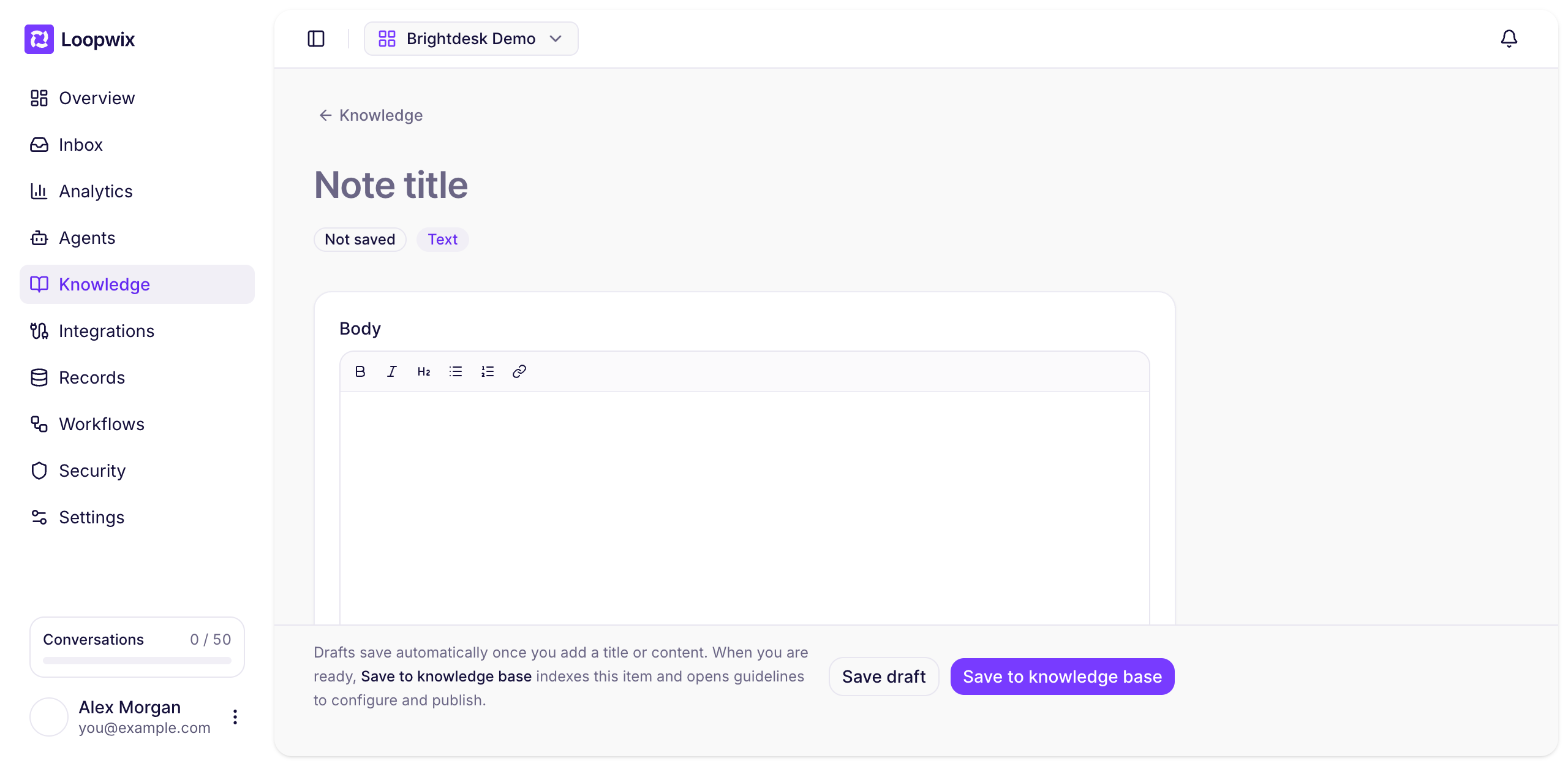
Create a note
- Select Knowledge, then choose Text.
- Give the note a title (Note title) and write or paste the content (Write the note…). You must add a title or some content before saving.
- Select Save to knowledge base. Until then it is a Draft and agents cannot use it.
- When the status is Needs setup, open it and configure and publish it.
To change a note later, open it, edit the content and save to the knowledge base again so the new text is indexed. Loopwix reminds you with "Content changed. Save to knowledge base again, then review guidelines."
Limits
A note's name can be up to 255 characters and its body up to 200,000 characters.
Notes or files?
Use a note for content you maintain in Loopwix. Use a file for documents that already exist elsewhere; see Upload files. Use an FAQ when the content is a set of questions and answers.
Tips
- Keep one topic per note, with a clear title.
- Use headings and short paragraphs. The passages the agent finds follow your structure.
- State the date a policy took effect when it matters, for example "Returns policy (from 1 March)".
- Do not paste secrets or private customer data.