
Choose channels
Open an agent's Channels section to see where it can appear, open the website chat studio, and set up messaging channels.
A channel is a place where customers reach your agent. You choose and configure channels in the agent's Channels section.
How do I choose where my agent appears?
Open the agent and select Channels to see each place it can appear and that channel's status. Choose the website chat to open its studio for appearance, messages and install. Messaging apps such as WhatsApp and Telegram are set up from the same section and are in beta.
Open Channels
- Open the agent and select Channels. The page says "Connect your agent to the places your customers already are."
- Each channel shows a status and a button. Choose a channel to open its settings.
- For the website chat this opens the studio with the tabs Appearance, Home, Messages, Contact & legal, Install and Advanced. The section list collapses to give the studio the full width. Use All channels to go back.
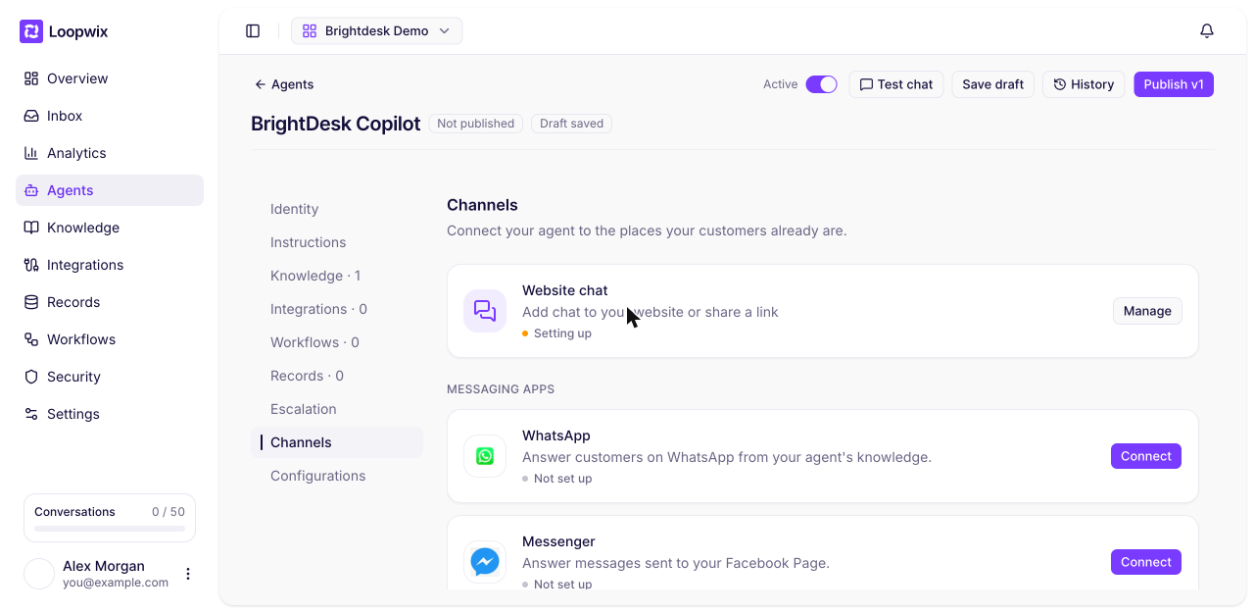
Which channels are available
| Channel | What it does |
|---|---|
| Website chat | Add chat to your website or share a link |
| Answer customers on WhatsApp | |
| Messenger | Answer messages sent to your Facebook Page |
| Answer direct messages on your Instagram business account | |
| Telegram | Answer messages sent to your Telegram bot |
| Email (Gmail) | Reply to customer emails in your Gmail inbox |
One agent can serve several channels at once. The same knowledge, instructions and rules apply on every channel.
How channel settings save
- Website chat appearance and content (Appearance, Home, Messages, Contact & legal) are part of the agent draft. They show as unsaved changes on the Channels section and are saved with Save draft and published with the agent.
- Website chat Allowed sites and Protection (Advanced) apply immediately and are not part of publishing.
Attach records
Let an agent look up or change data in Records tables: attach a table, then enable Create and Update per table; Read is on by default.
Escalation settings
Control when your agent hands a conversation to a person: switch hand-over on, write the rules, gather details first and set the handoff message.