
Show the agent's thinking in Test chat
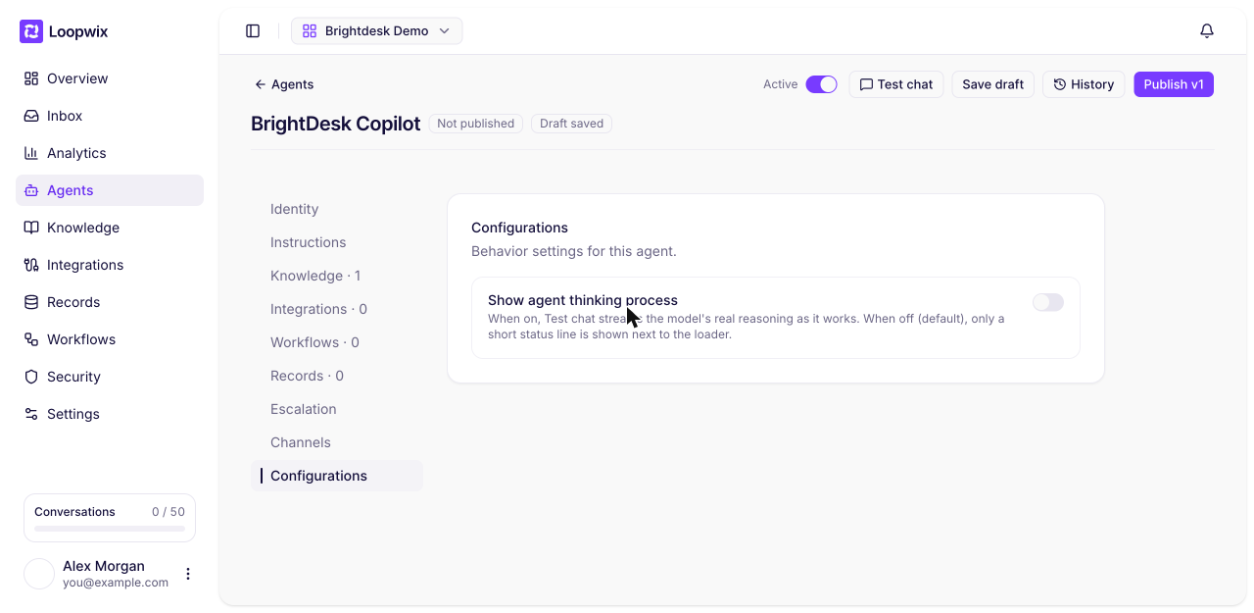
The Configurations section of an agent: switch on Show agent thinking process to see the model's reasoning in Test chat while you debug answers.
Configurations is the agent section for settings that change how the agent behaves while you work on it. Today it holds one switch, which shows the model's reasoning in Test chat. Open the agent and select Configurations: "Behavior settings for this agent."
Settings
| Setting | What it does | Default |
|---|---|---|
| Show agent thinking process | When on, Test chat streams the model's real reasoning as it works. When off, only a short status line is shown next to the loader. | Off |
This setting only affects Test chat for your team. It does not change what customers see or the answers the agent gives.
When to turn it on
Turn on Show agent thinking process when you are debugging and want to see how the agent worked out an answer. Turn it off when you want to see the chat the way a customer does.
Saving
Like other sections, the switch is saved with Save draft. A dot on Configurations shows it is unsaved.
Where other behaviour settings live
| To change | Go to |
|---|---|
| How it sounds and the welcome and fallback messages | Identity |
| Rules and business logic | Instructions |
| When it hands over to a person | Escalation settings |
| What it can look up or do | Integrations, Workflows, Records |
| How the chat looks | Choose channels |
Escalation settings
Control when your agent hands a conversation to a person: switch hand-over on, write the rules, gather details first and set the handoff message.
Test your agent
Use Test chat to talk to your draft agent as a customer would, check answers and sources, and find gaps before you publish.