
Messaging channels: how setup works
The setup panel shared by Telegram, WhatsApp, Messenger, Instagram and Gmail: credentials, webhook, test mode, activity, files and go-live steps.
Loopwix connects to a messaging channel with your own account at the provider, so your messages and approvals are yours. Secrets you paste (tokens, app secrets) are stored encrypted and shown as "Saved. Leave blank to keep it."
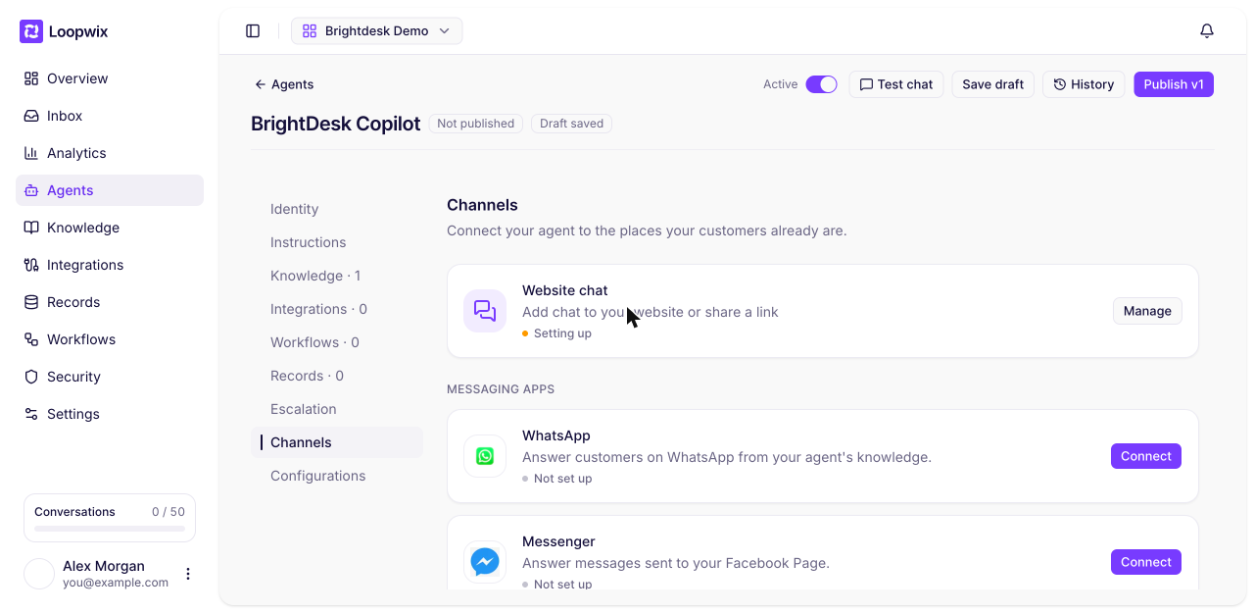
How do I connect a messaging app to my AI agent?
Open the agent's Channels section and choose the messaging app. Paste the credentials from your own provider account, such as a bot token or Meta app secret, and set the webhook address it shows. Try it in test mode, then go live. Messaging channels are in beta.
Open the setup
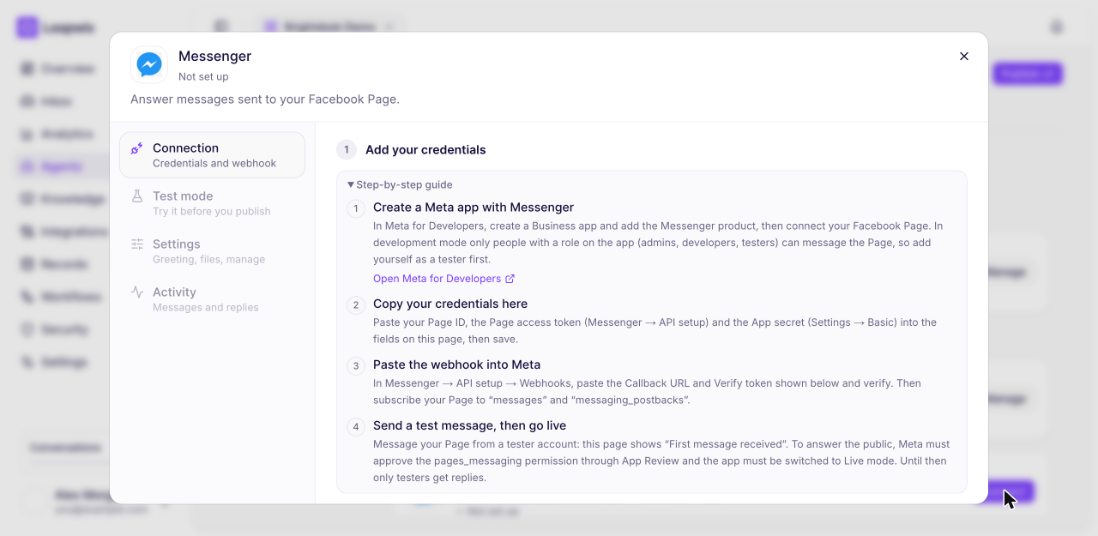
Open the agent → Channels → choose the channel. A setup panel opens with a Step-by-step guide and fields for your credentials. It also shows the Callback URL and Verify token to paste into the provider when it asks for a webhook. If the page shows "Waiting for a public address", your deployment has no public https address yet and the provider cannot reach you.
Status
Each channel shows a status chip (not connected, pending, live, Needs attention, error). See Channel status and controls. Needs attention often means an expired token; paste a new one.
Try before you publish: test mode
Until your agent is published, the channel cannot answer customers. Turn on Test mode to try your latest draft with only the people you list. "People on the list get answers from your latest draft, including changes you haven't published." Anyone else receives one short "not available yet" message a day. Test conversations do not count toward your conversation limit. The moment you publish, everyone gets live answers and test mode steps aside. Identify testers by phone number, chat ID, sender ID or email depending on the channel.
Activity
The Activity list shows newest-first messages from customers and the replies sent back, plus health ("Last message …") and errors. Use it first when something does not work.
Photos, files and voice
Files are off by default and switched on per connection under Settings → Photos and files. See Files from customers.
| Channel | Customers can send |
|---|---|
| Telegram | Photos, documents, voice notes (bots can only download files up to 20 MB) |
| Photos, documents, voice notes | |
| Messenger | Photos, documents, voice clips |
| Photos and voice messages (documents are not carried by Instagram DMs) | |
| Gmail | Attachments such as PDF, Word, Excel, PowerPoint, text and images |
Stickers get a short thanks, videos are politely declined, and locations and shared contacts are read as text.
Reply windows and opt-outs
On WhatsApp and Messenger you can only reply freely within 24 hours of the customer's last message. After that, a teammate's reply is blocked with a clear message until the customer writes again. "STOP" or "unsubscribe" is honoured automatically.
Rotate credentials or webhook
You can generate a new verify token or new webhook address; you must then update it at the provider or messages stop arriving. Disable stops answering but keeps your setup. Remove deletes saved credentials and the contact list, after you type the channel name to confirm. Past conversations stay in your history.
Bursts and ordering
Quick bursts of messages are answered together and a newer message cancels a stale answer in progress, so customers get one coherent reply.
Go-live checklist
- Agent published and tested on the website chat first
- Webhook verified at the provider and the right events subscribed
- Provider app or account in live mode, with permissions approved where the provider requires review
- A long-lived or permanent token (not a 24-hour one)
- Privacy policy URL where the provider asks for one
- Escalation and notifications tested end to end
Website chat troubleshooting
Fix the Loopwix website chat when it does not appear on your site, will not load, or tells visitors that the agent is unavailable right now.
Telegram
Create a Telegram bot with BotFather, paste its token into Loopwix, and chat with your AI agent on Telegram in about five minutes. Beta.