
Advanced: allowed sites, protection, switch off
Limit which sites can load the Loopwix website chat, slow down abusive visitors, block IP addresses, or switch the chat off everywhere at once.
Open the Advanced tab. Changes here apply straight away and are not part of publishing.
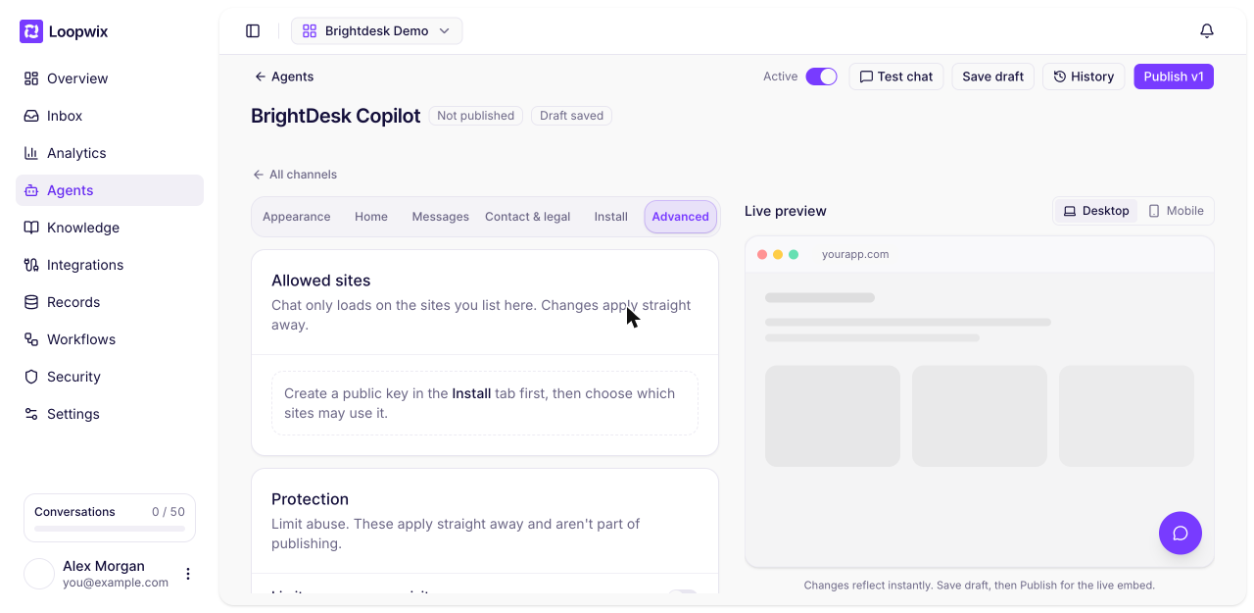
Allowed sites
"Chat only loads on the sites you list here." Until you add one the tab says "No sites allowed yet. Add your site so the chat can load on it." Enter an address such as https://example.com, including www. if your site uses it, select Add, then Save allowed sites.
Protection
"Limit abuse."
- Limit messages per visitor: slows down anyone sending too many messages.
- Block IP addresses: one address or range per line, like
192.0.2.1or203.0.113.0/24. IPv6 works too.
Select Save protection settings.
Turn off website chat
"Hide the chat from every site and the share link, right now." Visitors will not see the chat button and cannot start new conversations. You can turn it back on at any time.
Messages and visitor features
Control ratings, sources, notification sound, file uploads and their limits, conversation history and a proactive message.
Publish and control
Preview your Loopwix website chat, publish it so visitors see your changes, read its channel status, and pause or turn off the chat at once.