
Roles and teams
The five Loopwix roles, Owner, Admin, Builder, Support and Viewer, what each one may do, and how teams route new tickets to the right people.
Roles
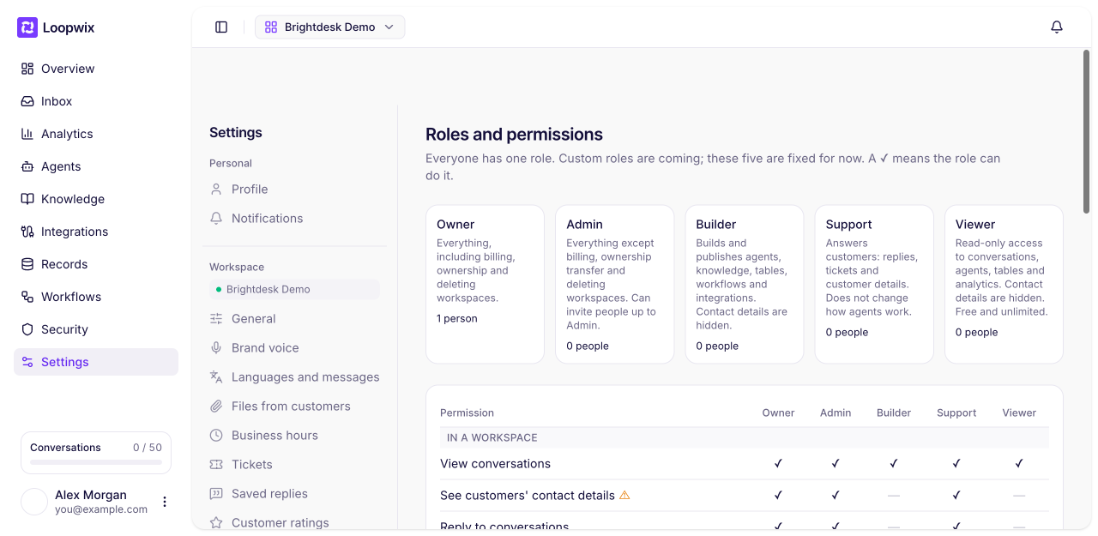
Everyone has one role. "Custom roles are coming; these five are fixed for now."
| Role | For |
|---|---|
| Owner | Everything, including billing, ownership and deleting workspaces |
| Admin | Everything except billing, ownership transfer and deleting workspaces; can invite up to Admin |
| Builder | Builds and publishes agents, knowledge, tables, workflows and integrations; contact details hidden |
| Support | Answers customers; sees contact details; does not change how agents work |
| Viewer | Read-only conversations, agents, tables and analytics; contact details hidden; free |
The full table of permissions is generated from the product: Roles and permissions matrix. Permissions marked ⚠ are sensitive (for example exporting and deleting customer data). Someone can grant a role only if they hold every permission in it.
Teams
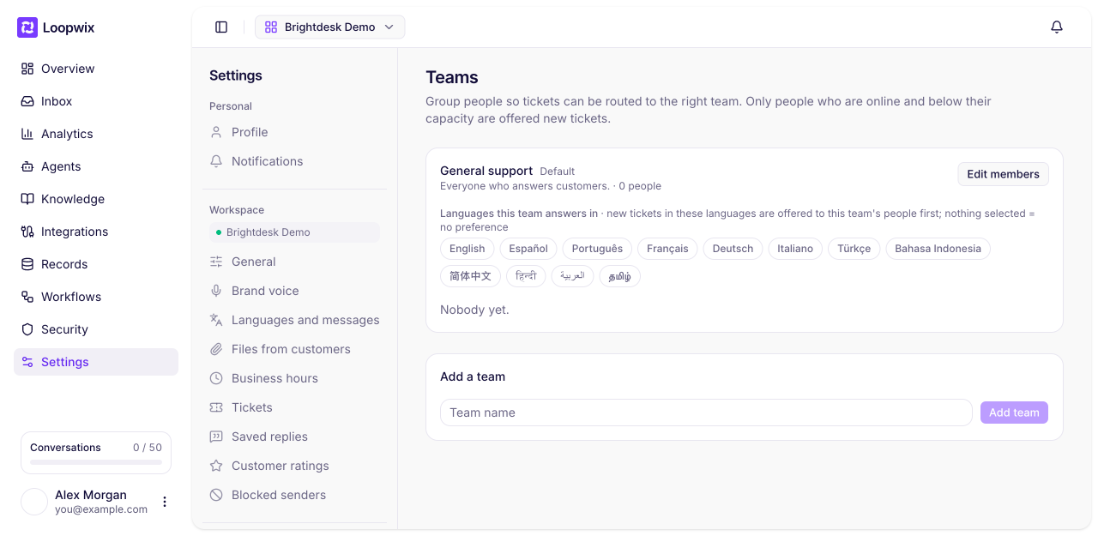
Settings → Organization → Teams: "Group people so tickets can be routed to the right team. Only people who are online and below their capacity are offered new tickets." Each team also sets the languages this team answers in. Teams appear in the Inbox sidebar. Your plan may cap the number of teams ("More teams aren't included in your plan").
Combine teams with automatic assignment.
Used for: Security at Loopwix
Members and invitations
Invite teammates to Loopwix, choose their role and the workspaces they can see, resend or remove invitations, and transfer account ownership.
Activity log
Review who changed what and when across your Loopwix workspaces in the activity log, including automated changes, and export it as CSV for audits.